
Talent Management System
- FreeAlliance
- 2023
Case Study Overview
Client: FreeAlliance, LLC
Platform: Internal Talent Management System (TMS)
Timeline: Multi-phase product design and implementation
My Role: Senior UI/UX Designer & Front-End Developer
Tools Used: Figma, Adobe Photoshop, HTML5, CSS3, JavaScript, Angular, REST APIs, WCAG Accessibility Tools
Project Summary:
The Talent Management System (TMS) was designed as a centralized workforce platform for managing employees, skills, certifications, resumes, contracts, projects, and approval workflows. The goal was to replace fragmented manual processes with a streamlined, role-driven enterprise system supporting both employees and managers in real time.
The Challenge
Before TMS, workforce operations relied on:
- Scattered spreadsheets
- Manual resume tracking
- Email-based skill approvals
- Limited visibility into project staffing
- No centralized certification tracking
- Delayed onboarding and contract readiness
Key challenges included:
- No standardized method to validate employee skills
- No real-time project-to-resource alignment
- Poor visibility for managers overseeing multiple teams
- No unified notification or task tracking system
The platform had to support two entirely different primary user groups:
- Employees managing profiles and skills
- Managers overseeing approvals, projects, and staffing
Goals & Objectives
- Create a centralized employee skills and credentials platform
- Automate manager approval workflows
- Improve project staffing visibility
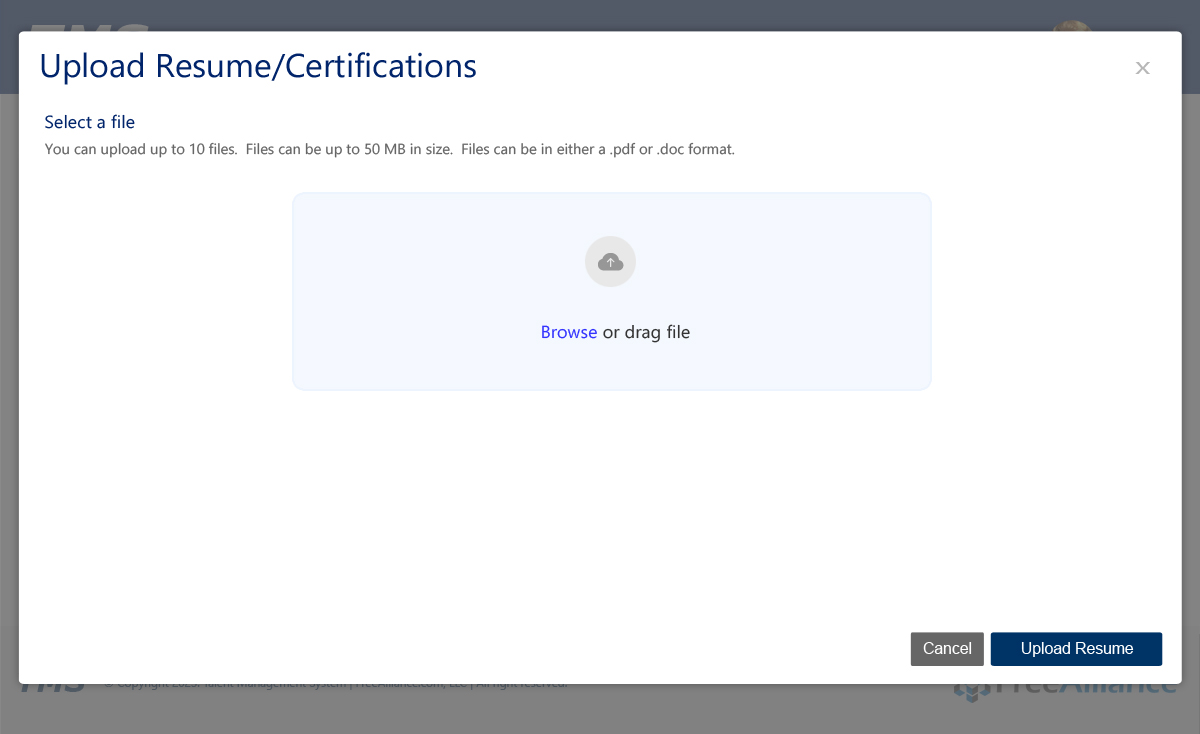
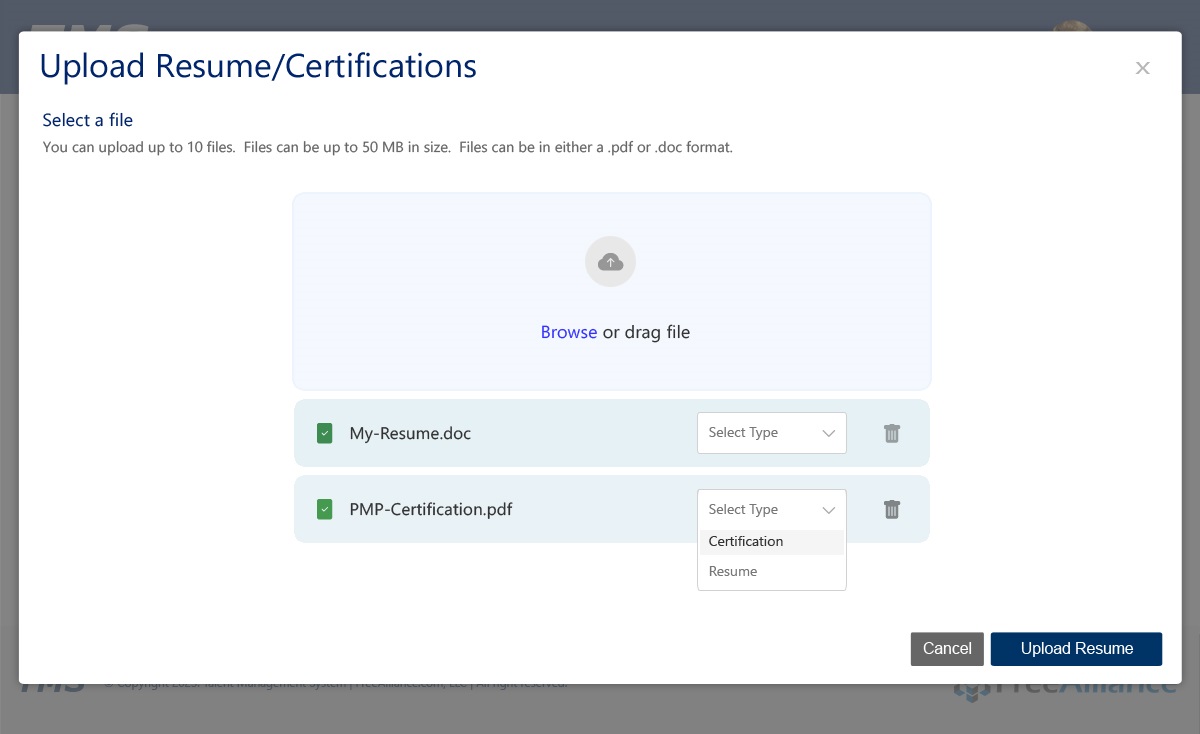
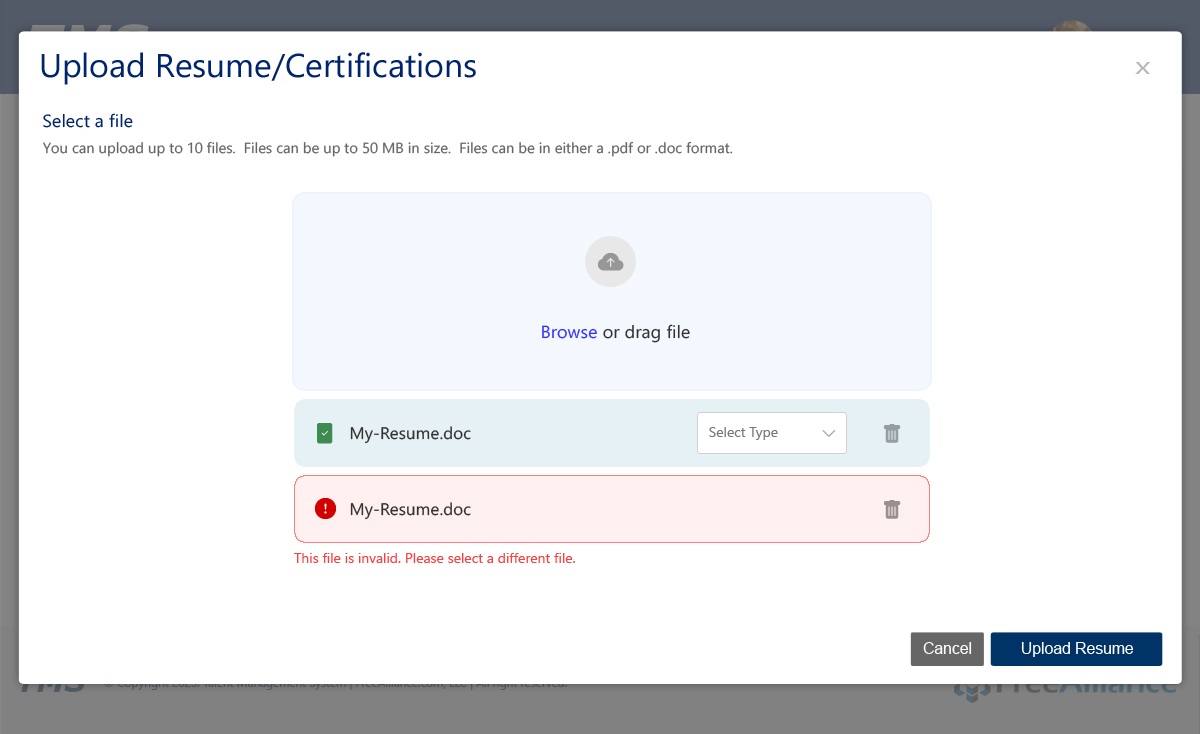
- Enable resume and certification uploads
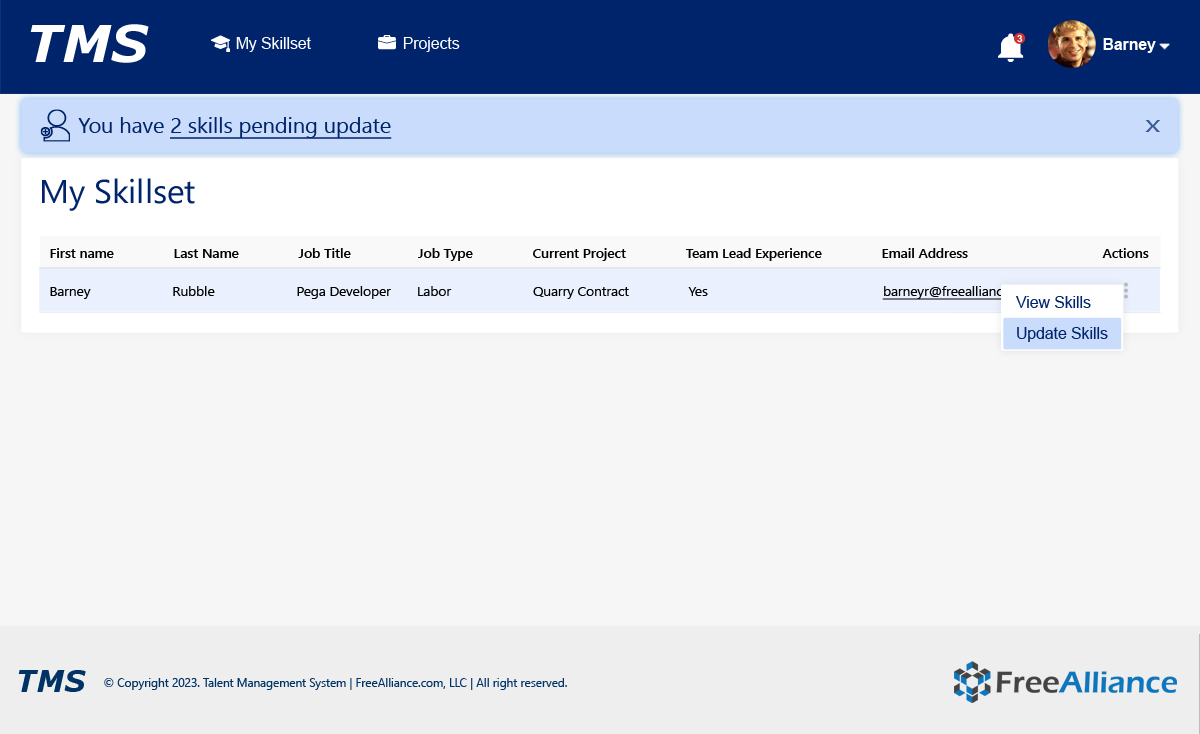
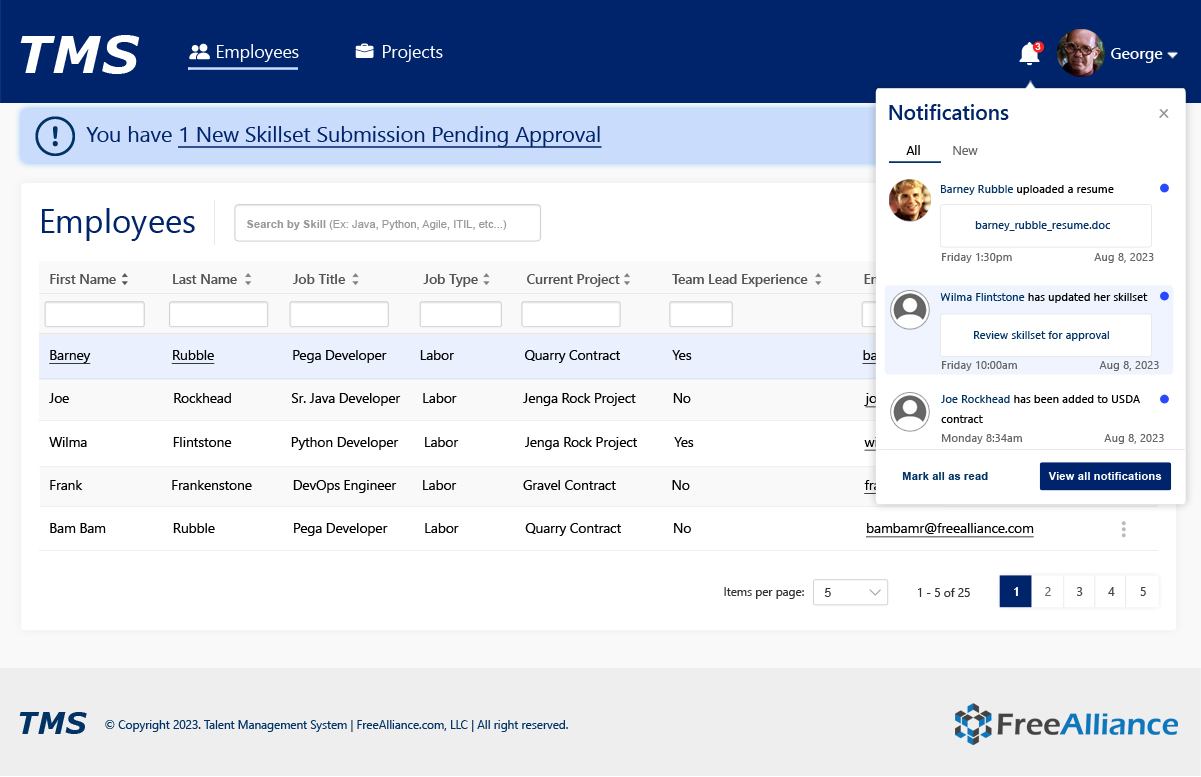
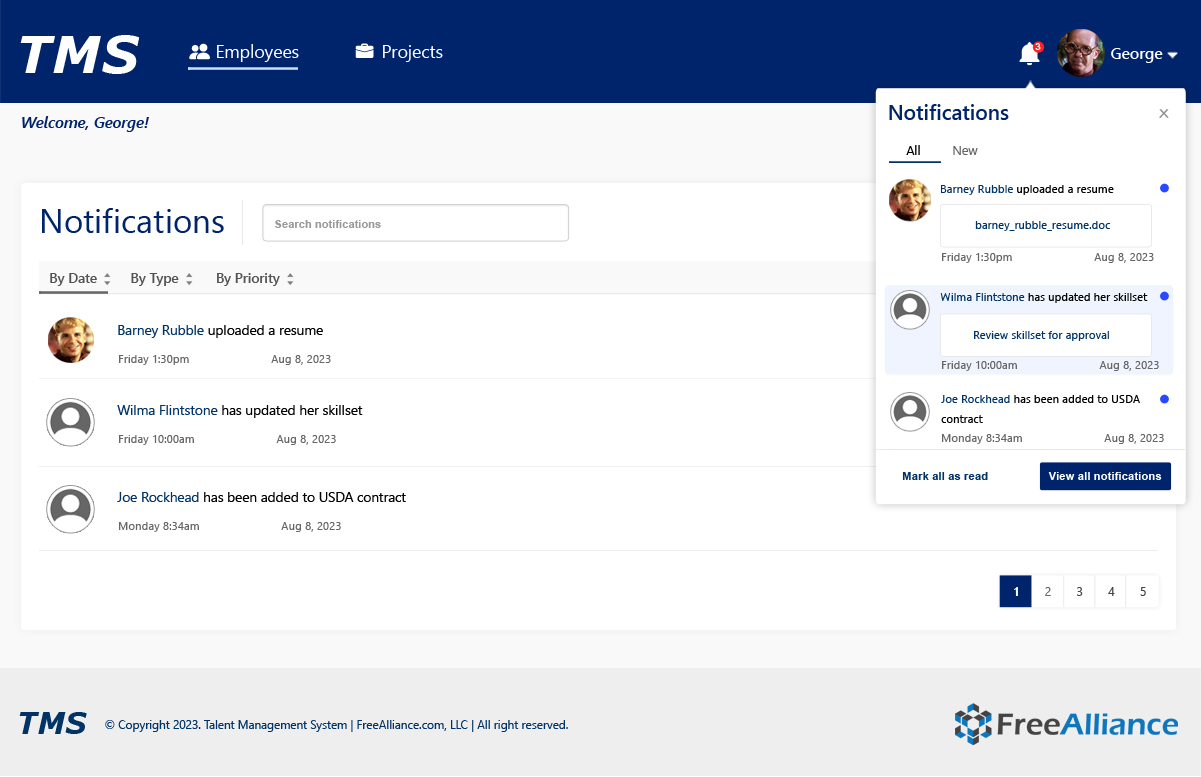
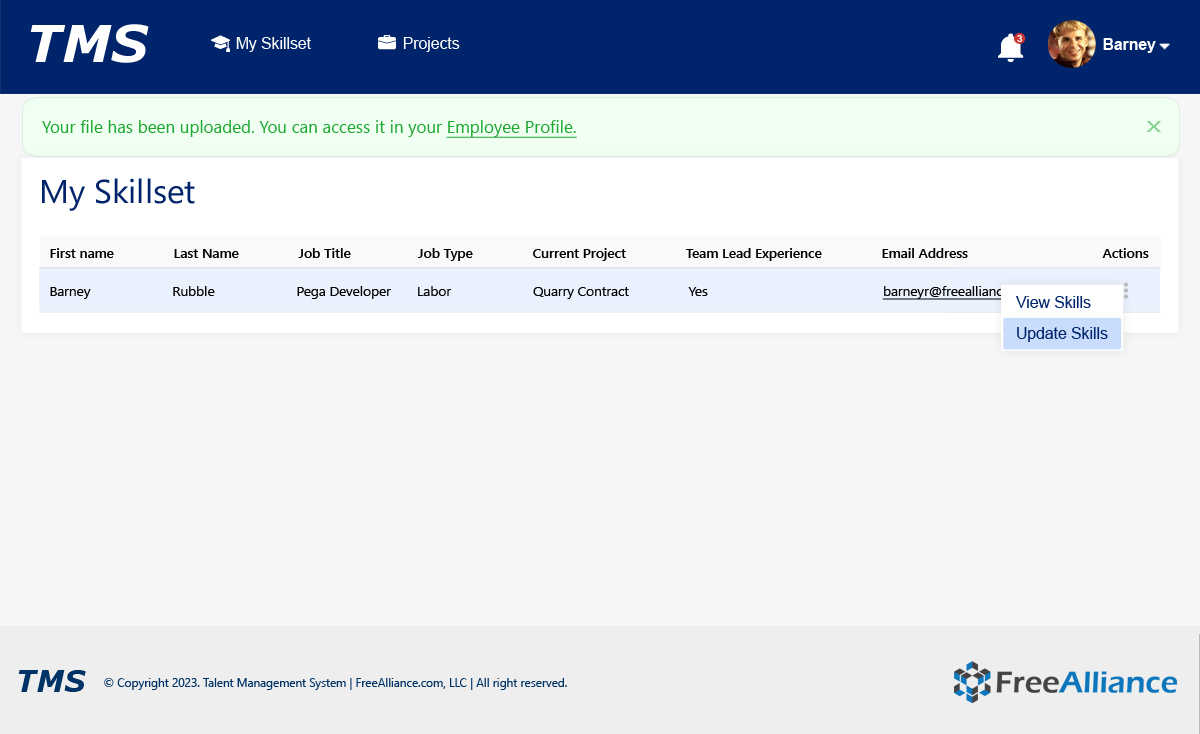
- Provide real-time notifications
- Improve search, filtering, and data discovery
- Ensure accessibility and usability at enterprise scale
UX Research Process
Research Methods Used:
- Stakeholder interviews with HR, managers, and delivery leads
- User journey mapping for employees and managers
- Workflow gap analysis
- System usability evaluations
- Accessibility audits
Key UX Insights:
- Employees wanted faster, clearer profile updates
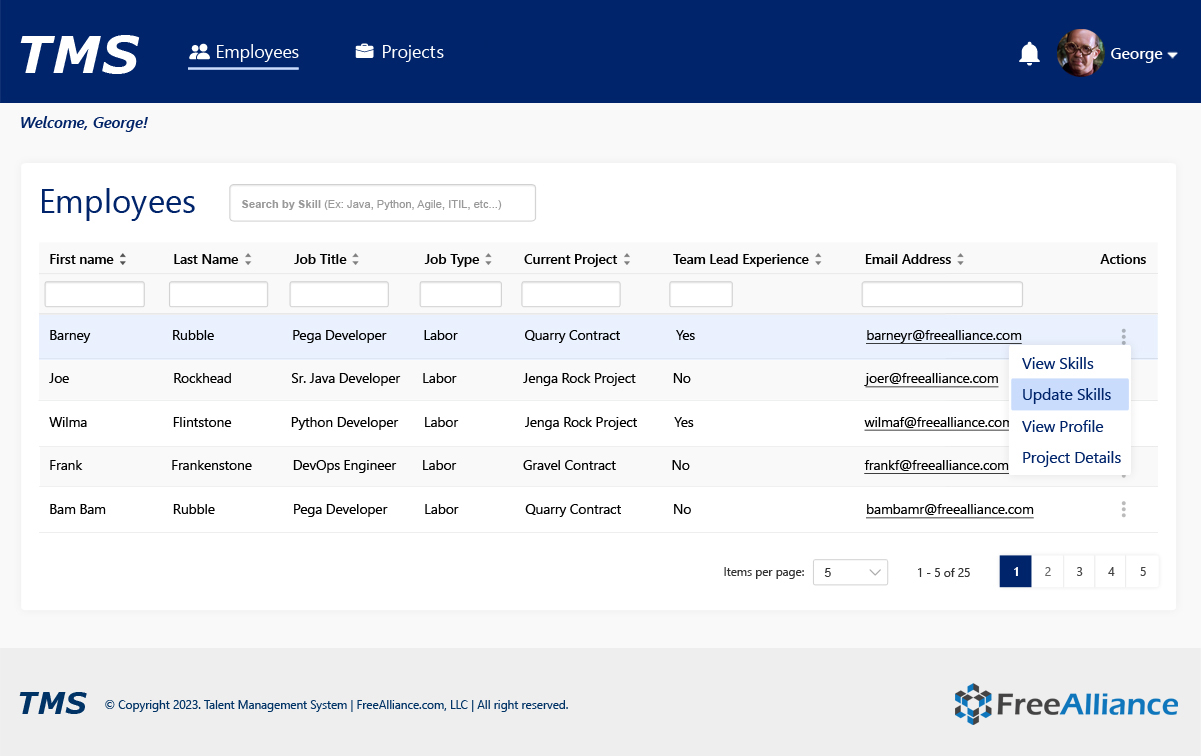
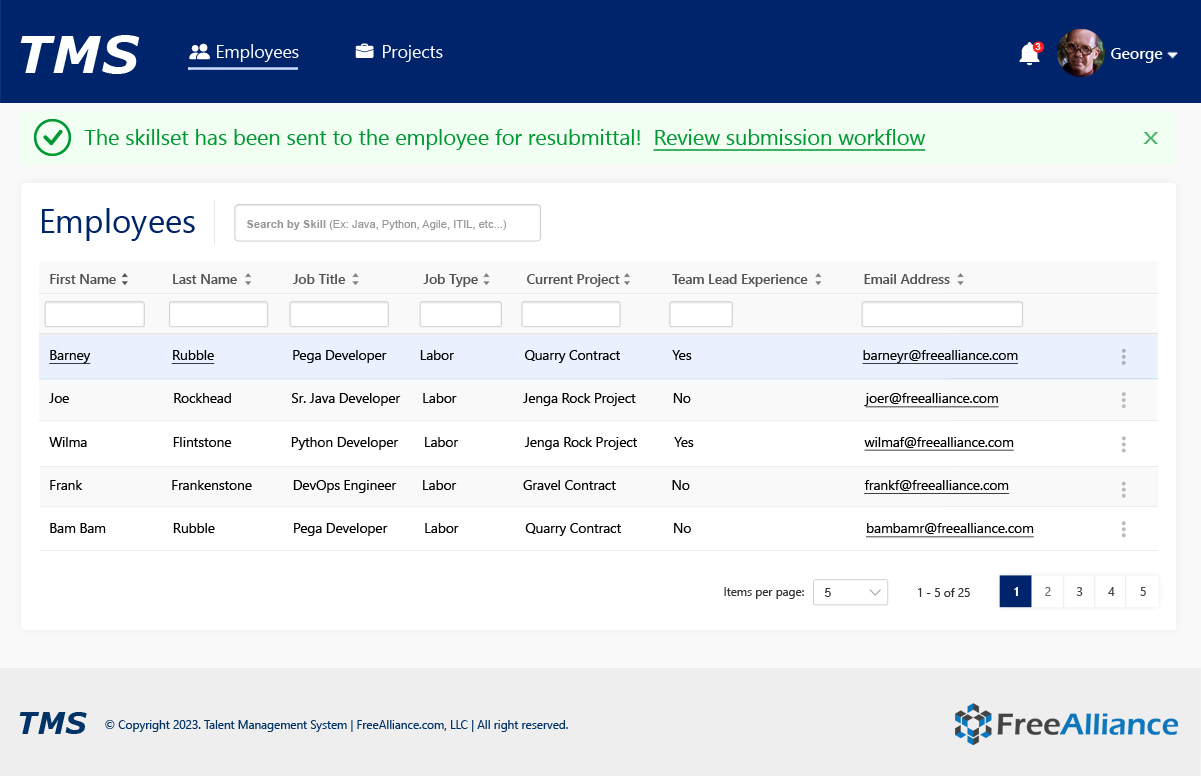
- Managers needed rapid filtering by skill and experience
- Notifications were critical to prevent process delays
- Approval systems needed confirmation, feedback, and audit trails
Information Architecture
The system architecture centered on role-based access and task clarity:
Core Areas:
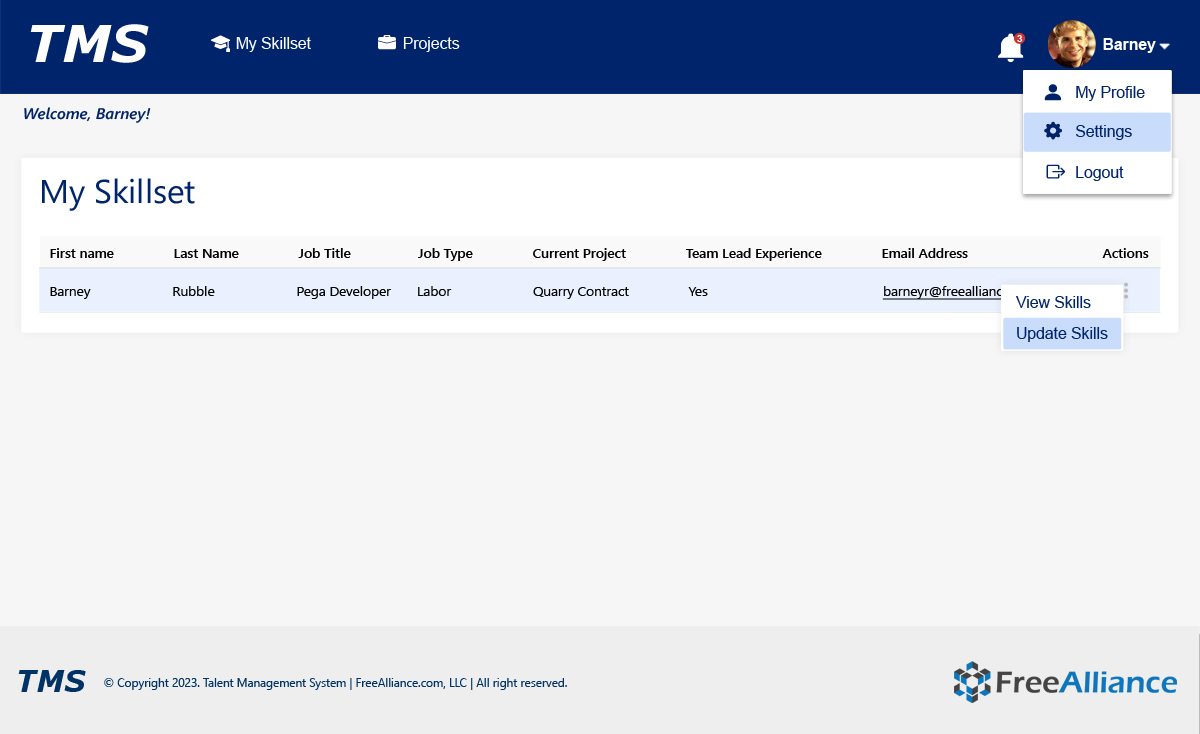
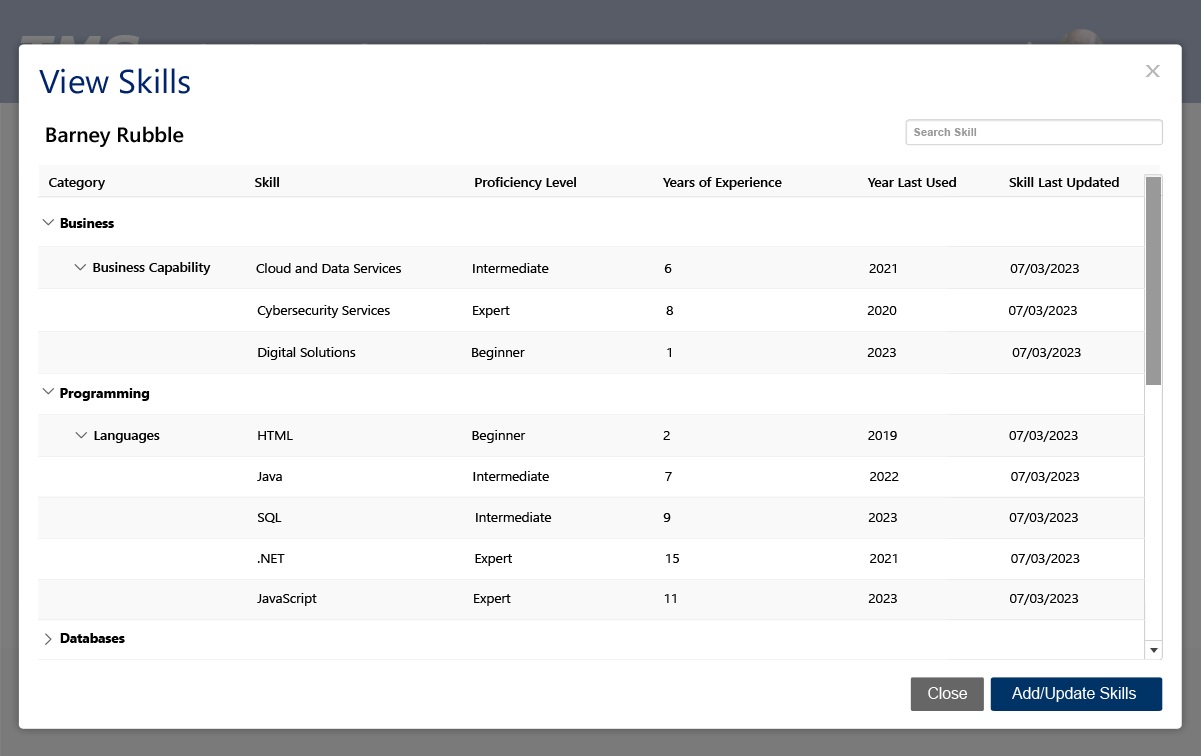
- My Skillset (Employee View)
- Employees Directory (Manager View)
- Projects & Contracts
- Notifications & Approvals
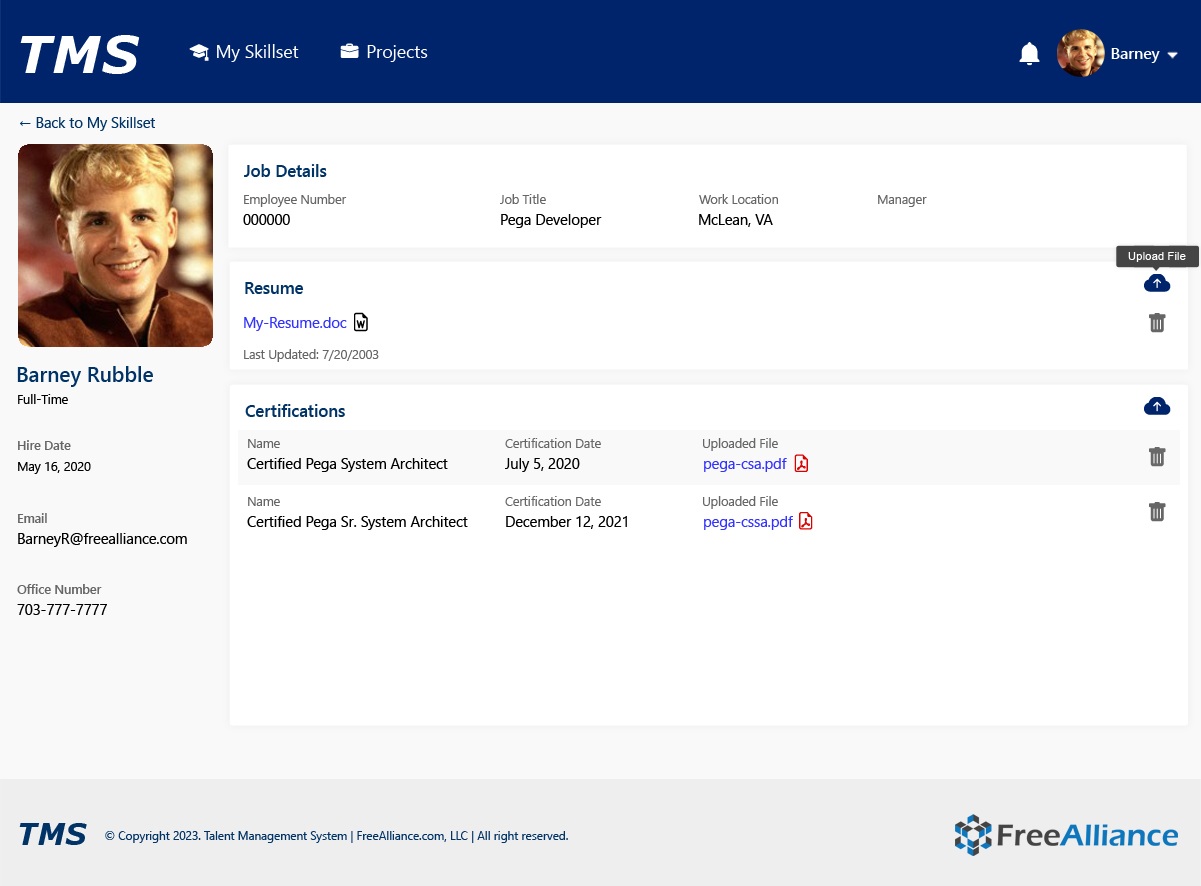
- Profiles, Resumes & Certifications
Task-Driven Structure:
- Skill Updates → Manager Approval → System Validation
- Project Assignment → Staffing Visibility
- Resume Upload → Profile Sync
- Certification Tracking → Contract Readiness
This reduced process friction and internal bottlenecks.
Wireframes & Ideation
Low and mid-fidelity wireframes explored:
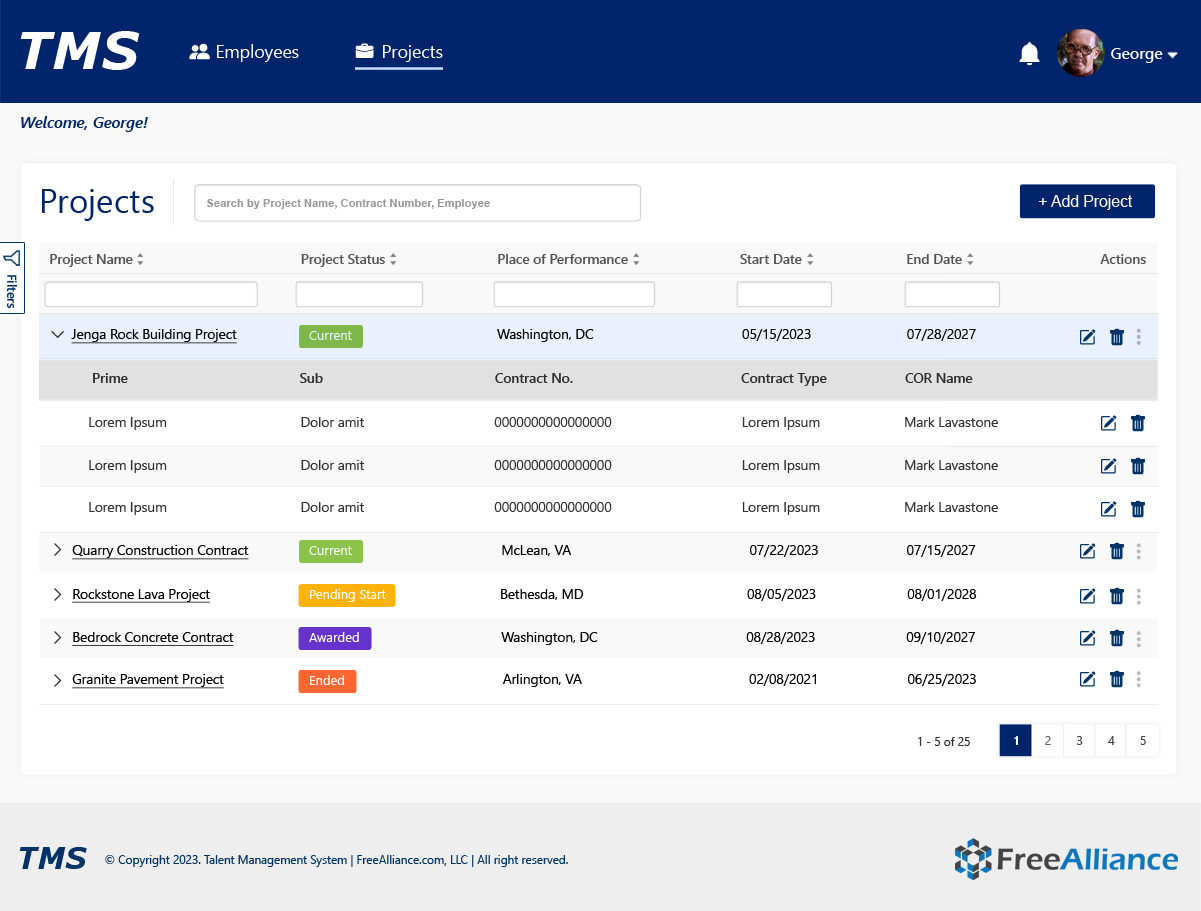
- Table-based enterprise data layouts
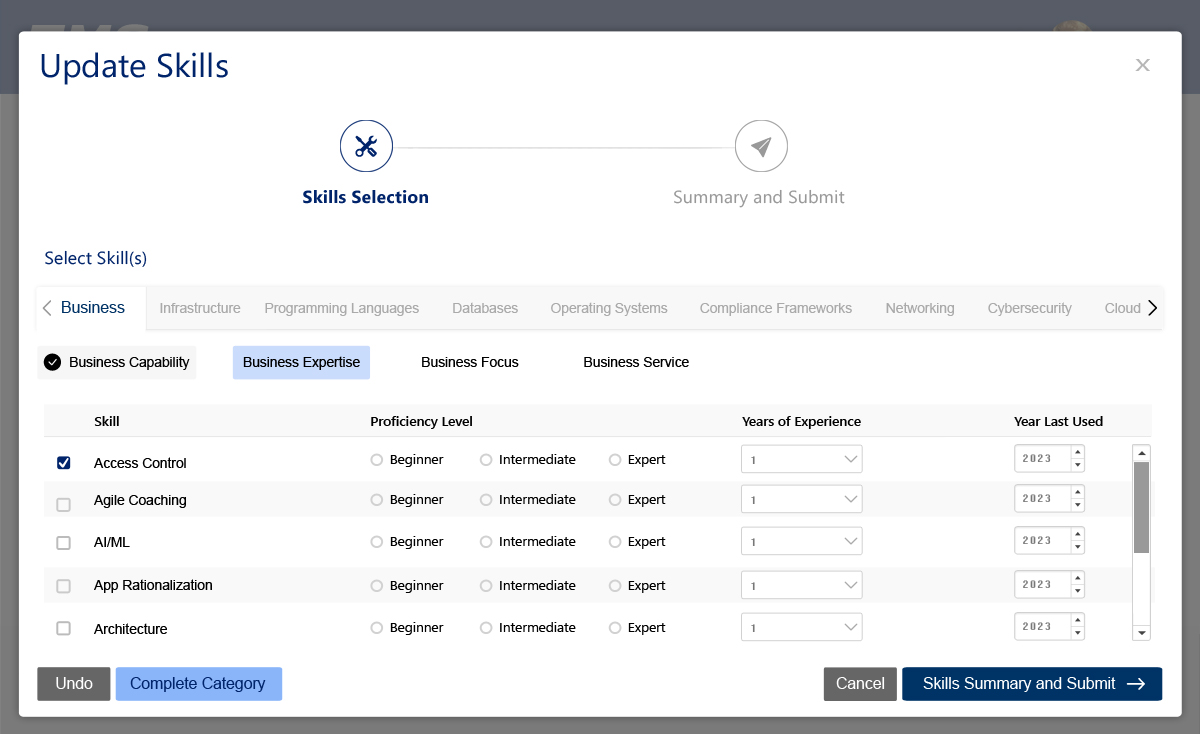
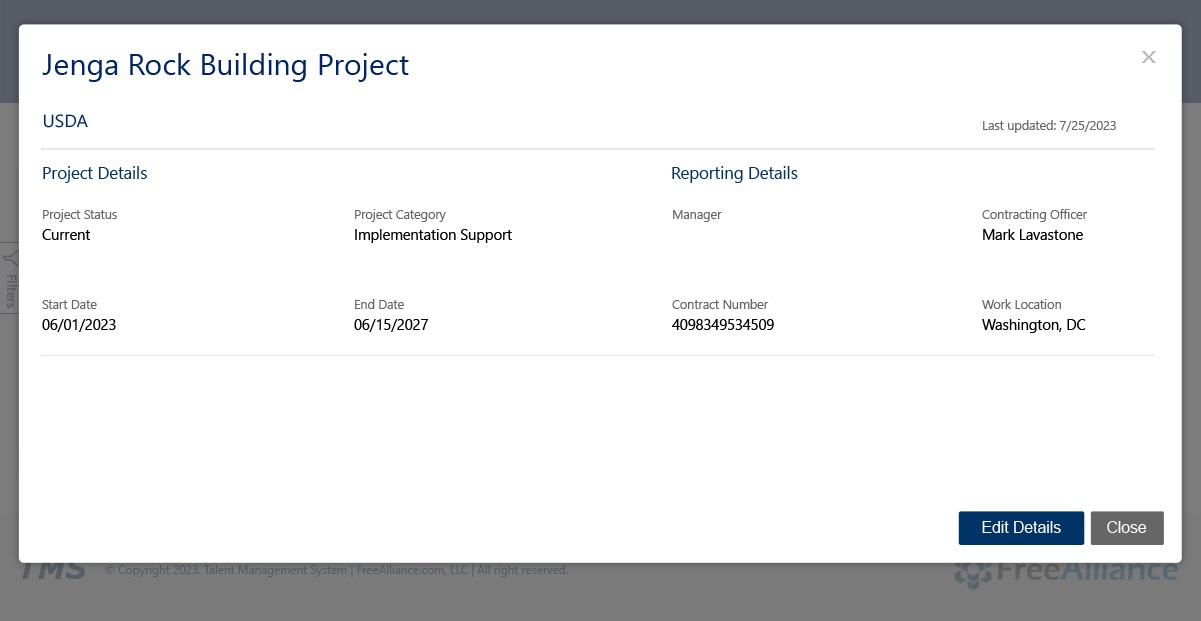
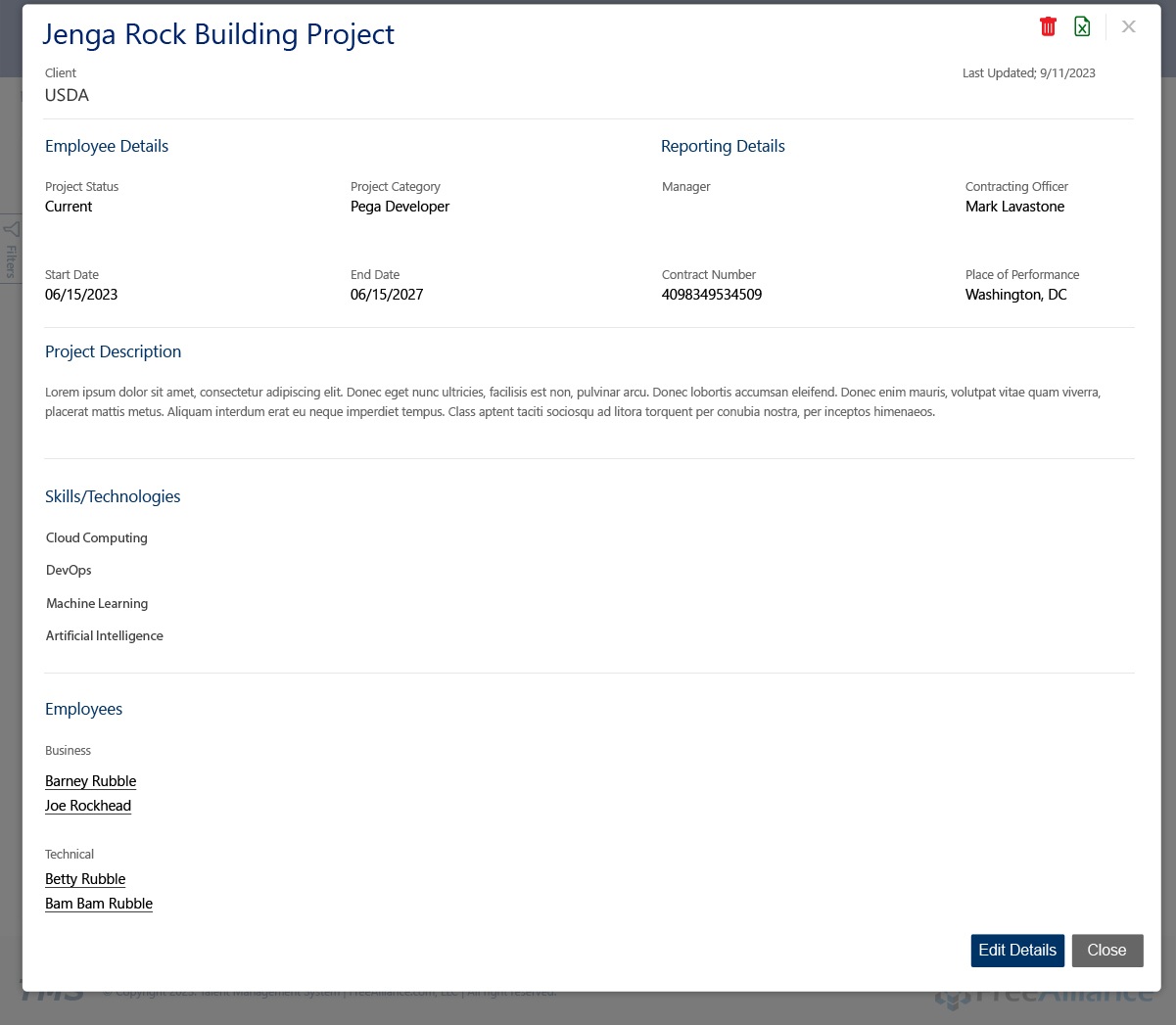
- Modal-based skill update workflows
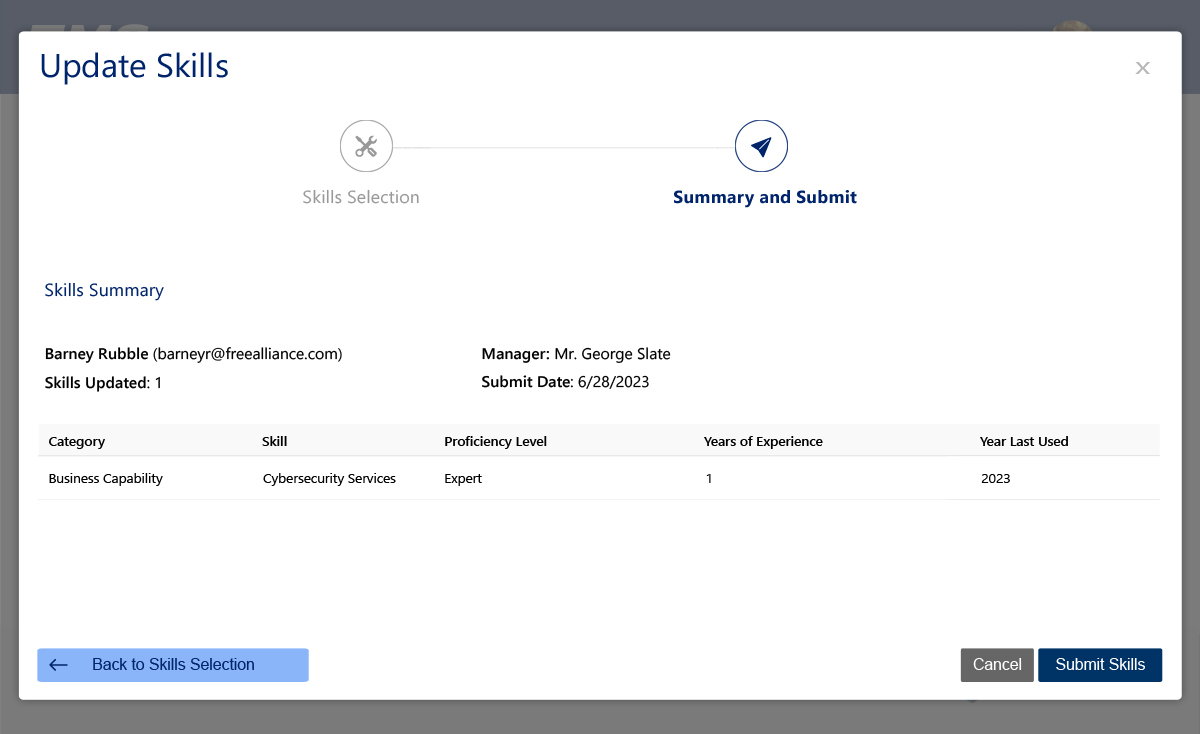
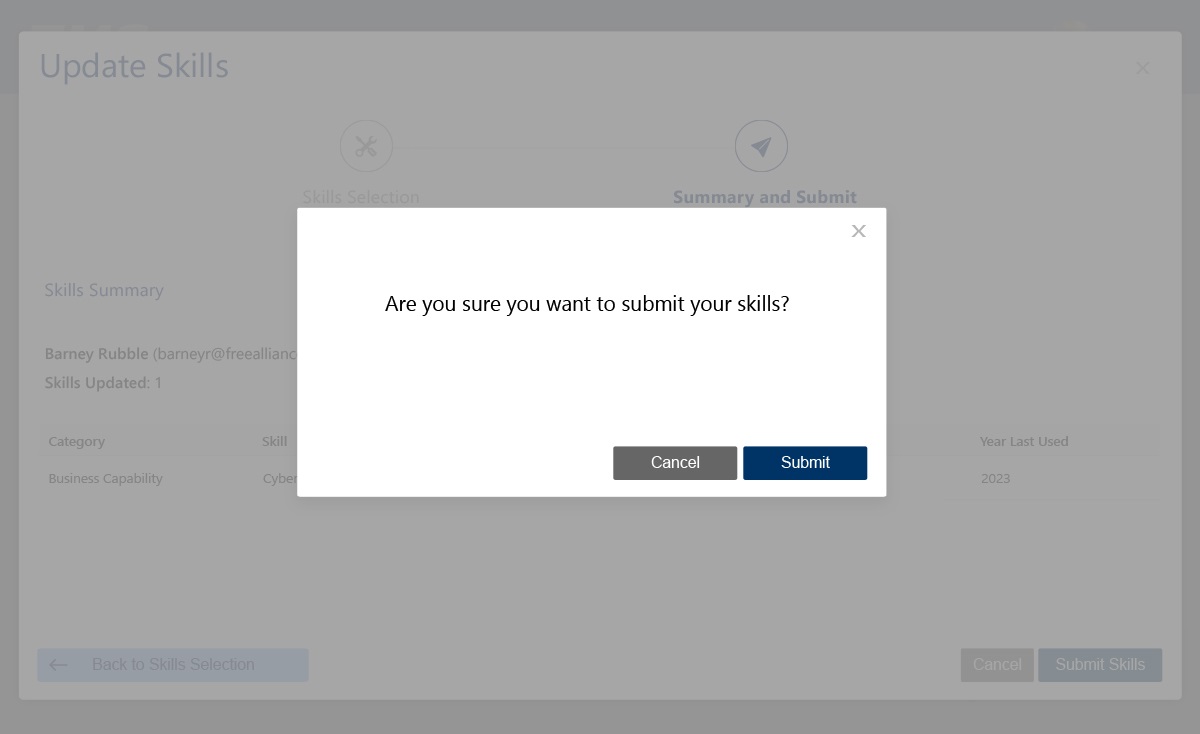
- Multi-step submission processes
- Expandable project rows
- Inline editing for efficiency
- Progressive disclosure for complex data sets
Every interaction was designed for speed, clarity, and auditability.
Visual Design & UI System
The UI design emphasized:
- Clean, modern enterprise layout
- Strong grid-based data presentation
- High-contrast accessibility-safe color system
- Consistent iconography and action placement
- Clear primary vs secondary actions
- Visual status indicators (Pending, Active, Awarded, Ended)
The design system ensured consistency across employee and manager experiences.
Prototypes & Interaction Design
Interactive prototypes validated:
- Step-by-step skill submission flows
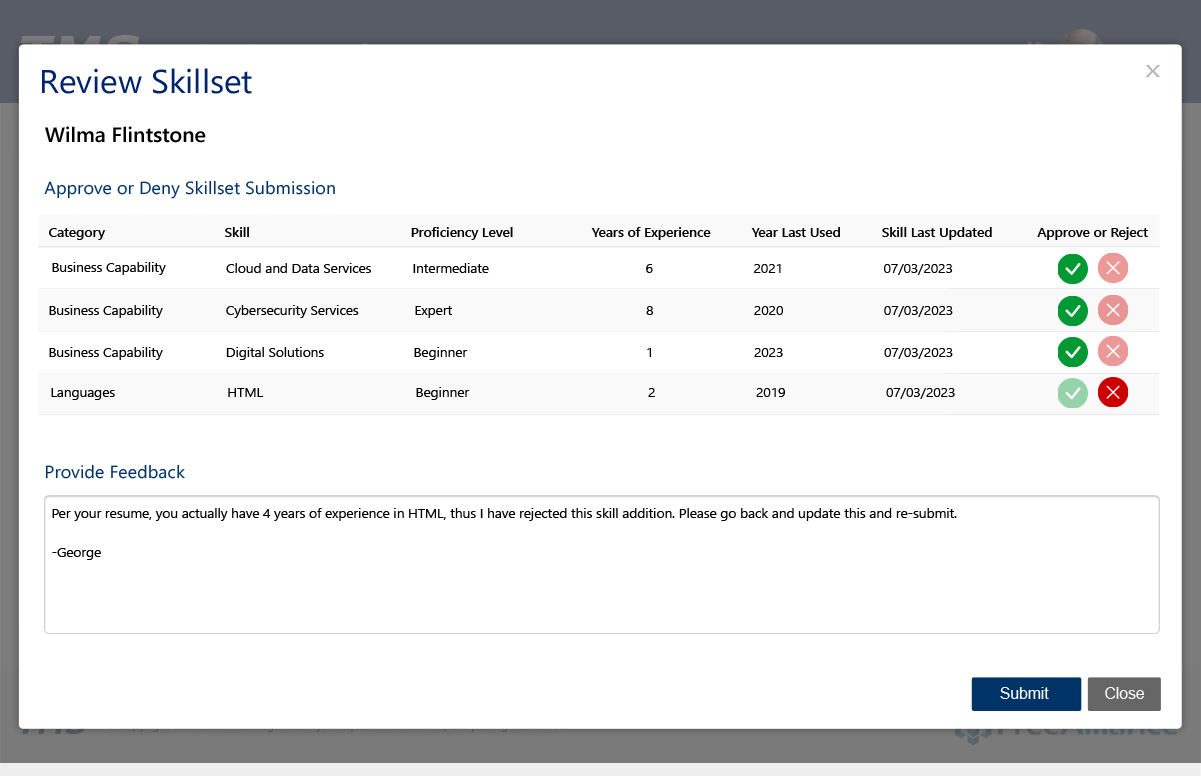
- Manager approval and rejection actions
- Inline feedback and review comments
- Notification interactions
- Resume and certification upload behaviors
- Profile editing interactions
Micro-interactions were designed to reduce anxiety around approvals and submissions while maintaining system accountability.
Front-End Development
On the development side, I supported:
- Angular-based dynamic UI rendering
- Reusable enterprise data table components
- Form validation and multi-step workflows
- Modal-based CRUD operations
- Secure file upload UI for resumes and certifications
- Filtering, sorting, and pagination logic
- Role-based conditional UI rendering
The platform was optimized for high-volume enterprise usage across multiple teams.
Accessibility Enhancements (WCAG)
Accessibility was embedded across the platform:
- Keyboard-accessible navigation
- Proper ARIA roles for tables, modals, and alerts
- Screen-reader-friendly notifications
- Accessible form labels and error states
- Focus state visibility for approvals and actions
- High contrast for enterprise viewing environments
Usability Testing
Usability testing included:
- Employee skill submission walkthroughs
- Manager approval simulations
- Resume upload testing
- Project staffing visibility testing
- Notification timing and clarity validation
Results showed:
- Faster skill update submissions
- Reduced manager response times
- Improved accuracy in staffing alignment
- Higher confidence in system data integrity
Final Solution
The final TMS solution delivered:
- Centralized employee profile management
- Multi-step skill updates with manager approval
- Real-time notifications system
- Project and contract tracking
- Resume and certification uploads
- Enterprise search and filtering
- Role-based access control
- End-to-end audit-ready workflows
TMS became the single source of truth for workforce readiness and staffing operations.
Impact & Outcomes
- Reduced administrative overhead for HR and managers
- Faster contract readiness through centralized certifications
- Improved staffing accuracy and resource utilization
- Reduced approval delays through real-time notifications
- Improved employee engagement in skill tracking
- Increased internal data reliability
Lessons Learned
- Enterprise UX must prioritize data clarity over decoration
- Approval systems require trust, transparency, and accountability
- Notifications are only helpful when they are actionable
- Role-based design dramatically reduces cognitive load
- Accessibility is mission-critical in enterprise environments